SolrNet Hit Highlighting Functionality
So I just had a genuine "wow" moment after getting search functionality working on my website using Apache Solr. It seems like a very good topic for my first blog post.
The breakthrough was getting hit highlighting functionality working. To explain what hit highlighting is for non-programmers, it is a fragment of text returned with the term you typed into the search, highlighted in bold or whatever style, like you would see on Google. For this post I am going to assume that people are familiar with ASP.NET Core and C#, my chosen technology. Referring to this article, I tried typing out the code but came to the conclusion that it was too complex. The only tip I got from it was that the highlights variable needs to be declared in the first iteration statement. An iteration statement is basically a loop over lots of data that stops when it has been rendered or a condition has been met. For those of you who live C#, LINQ is the standard way to query and manipulate data. The code sample I am going to discuss in the screenshot below demonstrates the use of LINQ to achieve hit highlighting functionality.
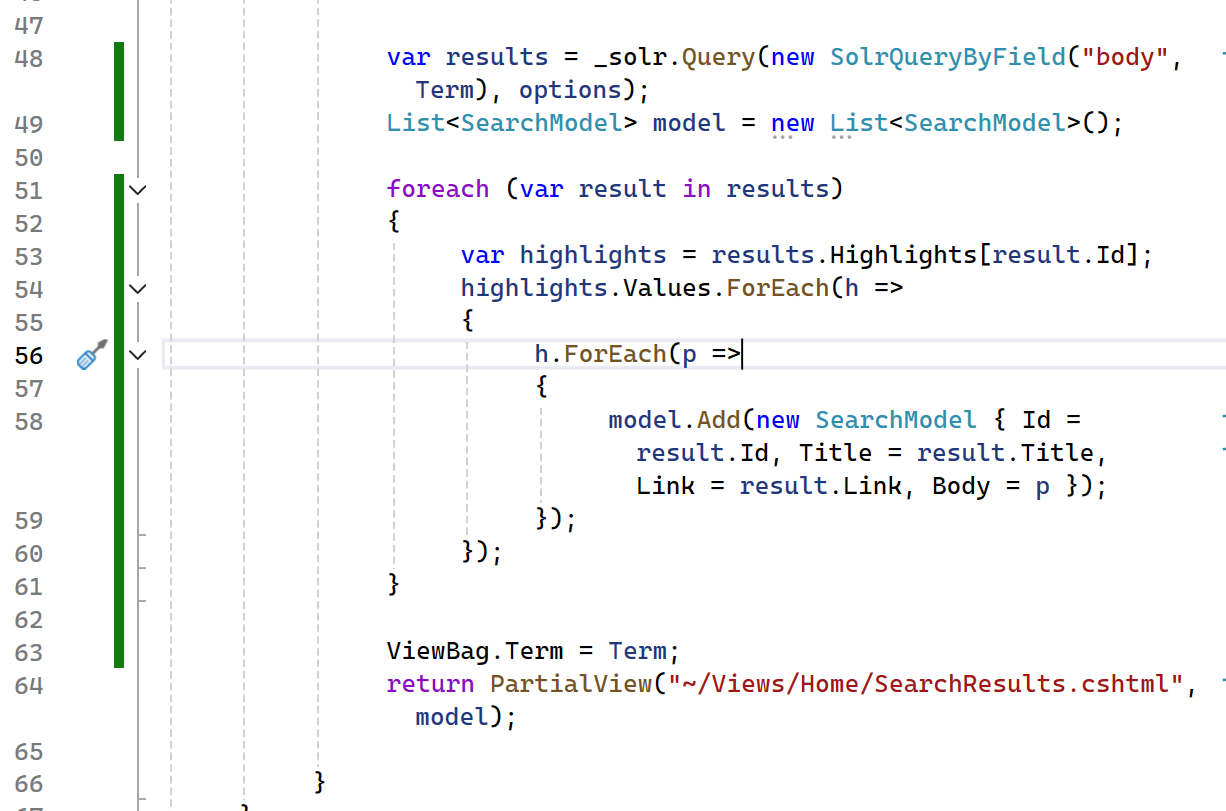
On line 48, a query by field operation is performed on Solr, which queries a field for a value, in this case, the term typed by the user in the search box. An options variable is also utilized, which is defined in code above with a new QueryOptions() instance. Here, various options to personalise results can be made, such as defining styles for hit highlighting. A nice thing about Visual Studio is that you can right click on a bit of code, and click Peek Definition to get more information about the code from the source. A list is declared on line 49, which is found in the System.Collections.Generic namespace and is basically a strongly typed object. In this case, it defines our view model which is a class called SearchModel.
On line 48, the results variable is declared, which holds a query by field search in Solr. A model variable is declared as a list for SearchModel, which defines the model for the frontend (view). An iteration statement is started on line 51, using a foreach loop. On line 53, a highlights variable is declared which stores the ID of the Solr document to be accessed in the loop. Using Linq, a ForEach loop is nested inside the root loop to iterate over the values returned by the highlighter. Data inside the loop on line 4 needs to be iterated over again, to customize the data sent to the model, as on line 58. The next screenshot shows the corresponding CSHTML to render the results.
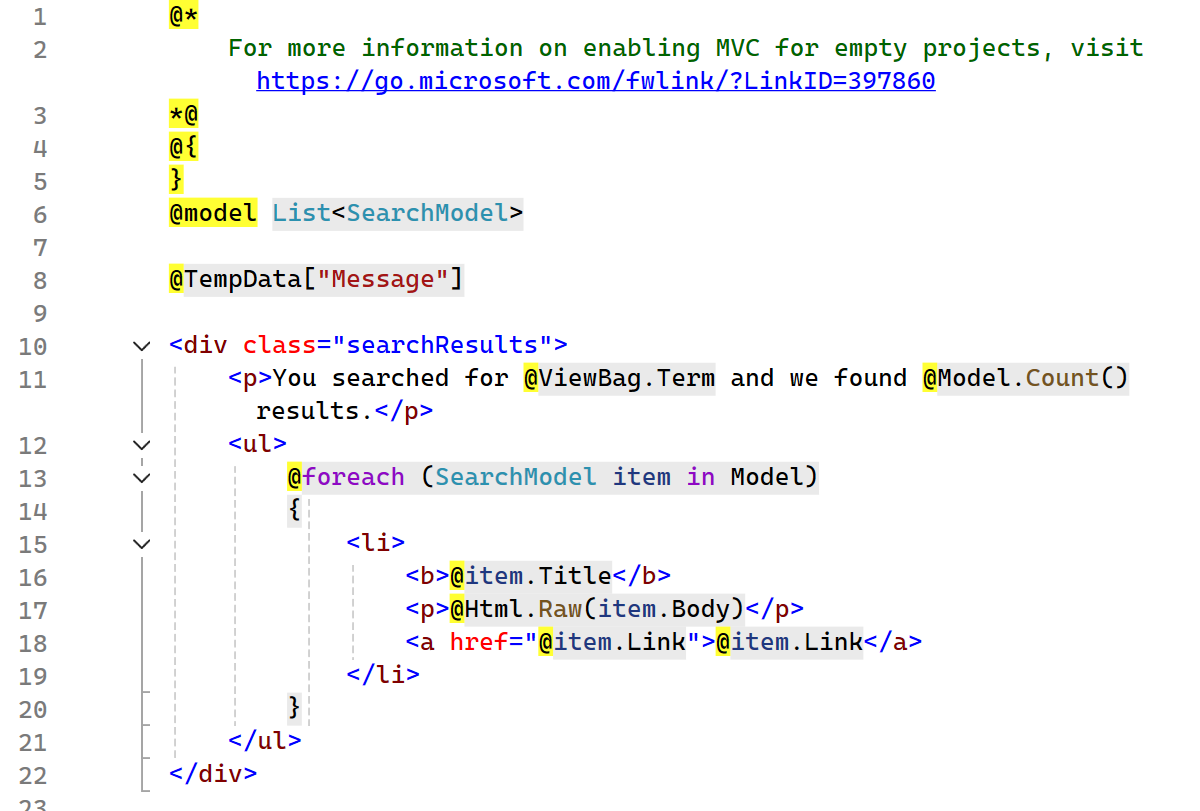
As you can see it is a very simple iteration statement to render data in the view. The final screenshot shows how it looks in the browser.

It took me quite a while to implement search functionality on my website. I originally tried ElasticSearch but came to the conclusion that there was a bug stopping hit highlighting from working in .NET. Solr is one I've tried before and the one I decided to stick with. Hope this code will be helpful and save you some time if you're trying to implement the same functionality. This is the first of what I hope will be many more articles about my journey through web development. I'm very passionate about ASP.NET Core and web development in general.
Thanks for reading!
No comments have been found for this post. Be the first to share your thoughts on this post using the form below.